Import Audio
Bring in a song, set album art, and build a chart around the audio on-device.
 PocketCharter
iPhone chart editor
Chart songs for Clone Hero right from your phone.
Available on the App Store
Built for charting
Bring in a song, set album art, and build a chart around the audio on-device.
Place normal, HOPO, tap, force strum, open, sustain, star power, and solo sections.
Use waveform-based tempo editing and AI-assisted BPM mapping as a starting point.
Export ready-to-transfer song folders with notes.chart, song.ini, artwork, and audio.
App tour
Use touch controls, waveform timing, note menus, and focused settings without leaving the editing flow.
Rotate sideways for a wider timeline, larger spacing, and transport controls that stay close while you place notes, holds, and star power sections.

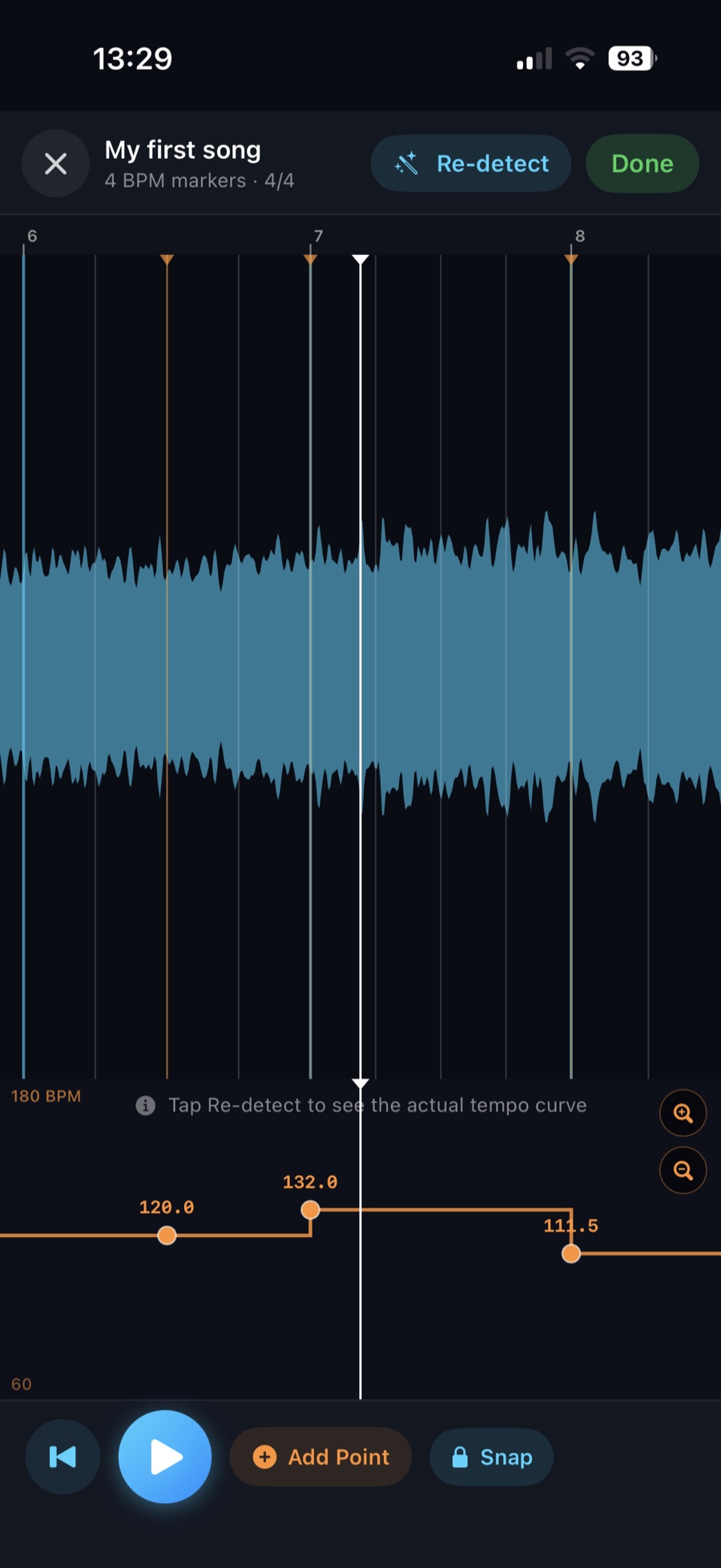
Inspect waveform peaks, add BPM points, snap markers, and check tempo changes before charting seriously.

Playback speed, tempo tools, BPM points, and time signatures live in one focused settings sheet.

Choose normal, HOPO, tap, force strum, and open notes with in-app explanations when you need them.
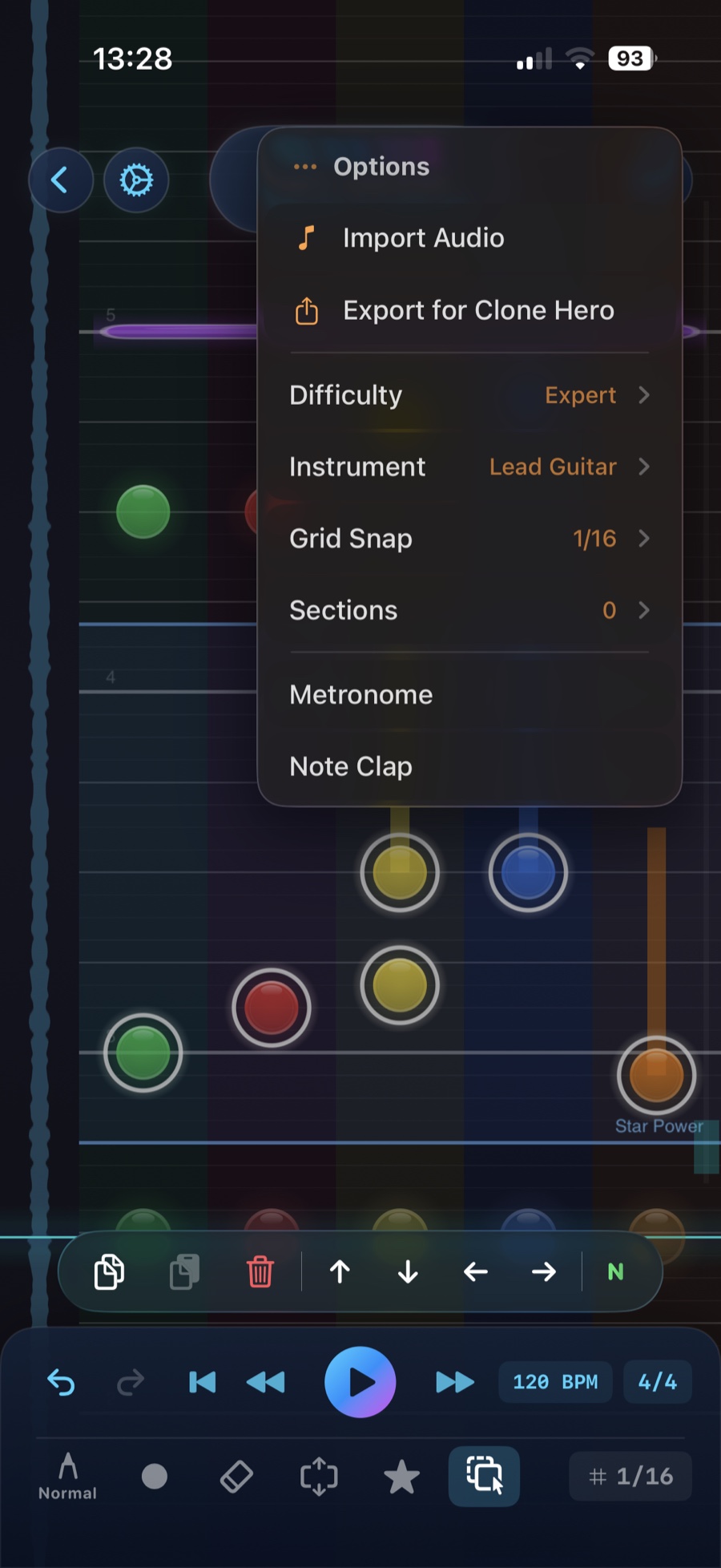
Import audio, export for Clone Hero, change difficulty, and adjust grid snap from the editor.

Use the hold menu for practical chart editing moves while the timeline remains visible underneath.
Questions
PocketCharter is built for making Clone Hero-compatible charts on iPhone. These answers cover compatibility, exports, audio, AI tempo tools, storage, privacy, and App Store basics.
PocketCharter is an iPhone chart editor for creating playable Clone Hero chart folders. You import your own audio, place notes on a five-lane fretboard, edit timing and tempo, then export a folder that can be transferred to Clone Hero.
No. PocketCharter does not include songs, stems, charts, or copyrighted music. You bring your own audio and are responsible for using files you have the right to use. The app is a creation tool, not a music library.
Yes. PocketCharter can import existing .chart files so you can view or continue editing a chart on your phone. Imported chart data is converted into PocketCharter projects for editing and export.
Yes. PocketCharter supports multiple guitar difficulties so you can create charts for different skill levels. The editor is currently focused on guitar charting rather than full multi-instrument authoring.
No automatic beat detector is perfect for every song. It is best treated as a strong starting point, especially for songs with live drummers, tempo drift, unusual meters, quiet intros, or heavy syncopation. PocketCharter gives you manual editing tools so you can correct the tempo map before charting seriously.
The Tempo Editor is a focused waveform view for checking and adjusting the beat grid. You can re-detect tempo, add BPM points, change point values, inspect the waveform, and choose whether to keep or discard edits when leaving the editor.
PocketCharter compares local and iCloud project timestamps and prefers the newest copy. If it needs to replace an older copy, it keeps a backup of the older project folder where possible.
Photo library access is used only when you choose album artwork for a chart. PocketCharter uses the image you select for that project's artwork and does not scan your photo library for unrelated images.
PocketCharter currently supports the CRKD Les Paul guitar controller. Other controllers are not officially supported yet, so touch editing remains the reliable fallback for all users.
Purchases are handled by Apple through the App Store. If you need a refund, use Apple's official App Store refund process. PocketCharter support can help with app issues, but App Store billing decisions are handled by Apple.
No. PocketCharter is an independent editor. It is designed to export files that Clone Hero can read, but it is not made by, endorsed by, sponsored by, or officially connected to Clone Hero.
PocketCharter exports a Clone Hero-ready zip containing the chart and song metadata, including files such as notes.chart, song.ini, album artwork when available, and your imported audio.
PocketCharter supports normal notes, HOPO notes, tap notes, force strum notes, open notes, sustains, star power sections, and solo sections. The export maps these to the Clone Hero chart events expected by the game.
PocketCharter can analyze your imported audio and create a tempo map with BPM changes and a detected time signature. The Tempo Editor shows the waveform and tempo curve so you can inspect the result, adjust points, and fine-tune the grid manually.
No. PocketCharter's BPM and tempo detection runs on-device using the app's bundled model. Your project is not uploaded to a PocketCharter server for tempo detection.
Projects are saved on your device. When iCloud is available for your Apple account, PocketCharter can also store projects in your private iCloud container so work can be backed up and synced through Apple's iCloud system.
No. PocketCharter does not include ads, third-party analytics, or tracking. See the Privacy Policy for the full breakdown of storage, iCloud, optional song lookup, and support contact information.
Song identification can help fill metadata such as title, artist, album, and artwork. If you use it, PocketCharter uses Apple services such as ShazamKit and iTunes Search. It is optional and is not required for charting or exporting.
Export the project from PocketCharter, transfer the zip to your computer, extract it into your Clone Hero songs folder, then scan songs in Clone Hero. The exported folder is structured for that workflow.
Email support with your device model, iOS version, PocketCharter version, what you expected to happen, and what actually happened. Screenshots or a short screen recording are especially helpful for editor, tempo, export, or iCloud issues.
Support
PocketCharter support lives on a dedicated page with contact details, common questions, and App Store review-friendly information.
Privacy
PocketCharter stores chart projects on your device and, when enabled, in your iCloud account. Optional song lookup uses Apple services.